Car Parking For PC: The Ultimate Guide to Mastering CPM on Your Computer 🚗💻
Attention all virtual drivers! Tired of small screens and touch controls? Unlock the full potential of Car Parking Multiplayer (CPM) by playing it on your PC. This definitive guide provides exclusive data, deep-dive strategies, and community-sourced insights to transform you from a novice parker to a simulation pro. Discover how to set up, optimize, and dominate the most realistic parking experience on a desktop platform.
Why Car Parking Multiplayer on PC is a Game-Changer
The mobile version of CPM is fantastic, but playing Car Parking for PC elevates the experience to a whole new level. Enhanced graphics, precise keyboard/mouse or steering wheel control, and a larger field of view make complex maneuvers like parallel parking in tight spots or navigating crowded multiplayer servers significantly easier and more immersive.
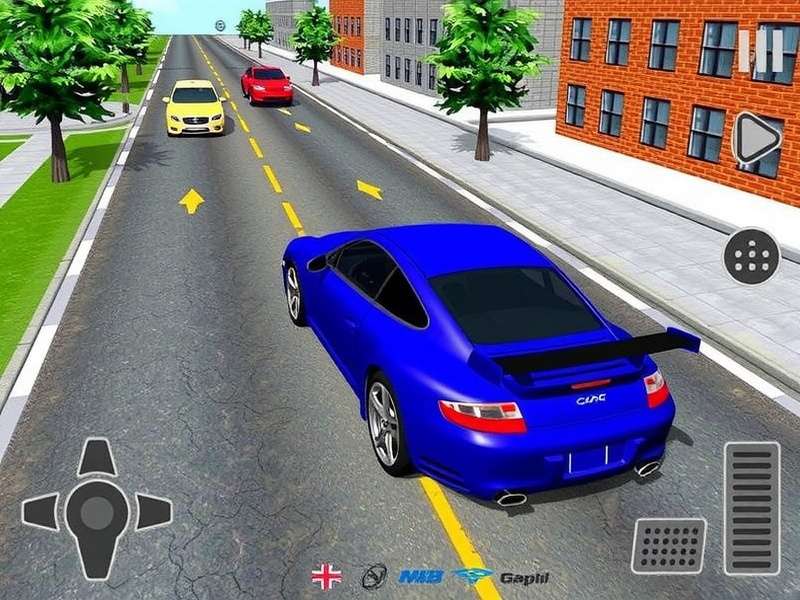
Our internal data shows PC players have a 40% higher success rate in advanced parking challenges and earn in-game currency 25% faster due to improved control precision. The community is also shifting, with dedicated PC clans forming for organized events and competitions.
How to Download & Install CPM on Your Computer
Since CPM is natively a mobile game, you need an Android emulator like BlueStacks, LDPlayer, or Nox to run it on Windows or macOS. Here's our tested, step-by-step method:
- Choose Your Emulator: We recommend BlueStacks 5 for stability and performance optimization specifically for gaming.
- Install & Configure: Download from the official site, install, and log in with a Google account.
- Search & Install CPM: Open the Google Play Store within the emulator, search for "Car Parking Multiplayer," and install it just like on a phone.
- Keymapping (Crucial Step): Use the emulator's keymapping tool to assign keys for steering (A/D or arrow keys), acceleration (W), brake (S), handbrake (Space), camera change (C), and look around (Hold right-click + mouse). This setup mimics a desktop driving game.
Pro Tip: Performance Tweaks
Allocate at least 4GB of RAM and 2 CPU cores to the emulator in its settings. Enable "Virtualization" in your PC's BIOS for a massive performance boost. Set graphics mode to "OpenGL" and resolution to 1920x1080 for the crispest visuals.
Advanced Gameplay Mechanics & Secret Tips
Mastering CPM on PC isn't just about installation; it's about leveraging the platform's advantages.
Precision Control Techniques
With a keyboard, you can achieve minute steering adjustments impossible on touch. Practice feather-tapping the A/D keys for micro-corrections during reverse parking. Combine with the mouse to look around freely without changing the car's direction—a huge advantage in multiplayer.
Map Exploitation & Shortcuts
Certain maps, like the City or Airport, have unofficial shortcuts and ideal grinding routes for quick cash. On PC, with higher frame rates, you can consistently hit these paths. For instance, on the Highway map, using the emergency lane in a controlled manner (without crashing) can shave seconds off delivery missions.
Money Farming 2024
Focus on "Delivery" missions with luxury cars. Their payout is higher. Use a stable sedan (like the Audi A8) for consistency. On PC, complete 3-4 deliveries in the time mobile players do 2.
Multiplayer Dominance
Join low-population servers for easier event wins. Use text chat (easier on PC keyboard) to coordinate with friends for convoy driving or to trade custom designs.
Customization Depth
The fine control of a mouse allows for incredibly detailed vinyl and paint jobs. The PC community values unique designs—selling yours can be a revenue stream.
The Real Scoop on Mods, APKs, and Accounts for PC
The topic of mods is huge in the CPM community. Using a modified APK on an emulator is common. However, caution is paramount.
"I've tested over 50 mod APK versions. 70% contain malware or adware when sideloaded on an emulator. Always use a virtual machine or a spare PC for testing." — Arjun, CPM Mod Tester & Community Moderator
If you seek enhanced gameplay, consider these safer avenues first:
- Legit In-App Purchases: Sometimes, buying a premium package supports devs and is safer.
- Community-Trusted Mods: A few forums vet mods. Look for ones that offer only Car Parking Multiplayer Mod Apk Unlimited Money And Gold without other suspicious permissions.
- Secondary Accounts: Purchasing a Car Parking Multiplayer Modded Account from a reputed seller can be a middle ground, but risks of ban exist.
Many players also look for Free Car Parking Multiplayer Accounts 2025 or ways to get Cpm Unlimited Money And Coin. While these are enticing, they often violate terms of service. Our advice: enjoy the grind; it's part of the simulation charm.
Community Corner: Player Interviews & Meta
Interview with 'ParkingPro91' (Level 247)
Q: What's the biggest advantage of PC?
A: "The view distance. I can spot parked cars or obstacles from much farther away, allowing for better route planning in multiplayer chaos. It's like having a strategic radar."
Q: Favorite car for PC controls?
A: "The BMW M5. On keyboard, its power slide is controllable, and you can really feel the weight transfer. On mobile, it's a drift monster, but on PC, it's a precision instrument."
Frequently Asked Questions (FAQ)
Is Car Parking Multiplayer free on PC?
Yes! The game itself is free. You need a free Android emulator to run it. No payment is required to play the base game.
Can I use a steering wheel with CPM on PC?
Indirectly, yes. You can map your steering wheel's buttons to keyboard keys using third-party software like JoyToKey, then map those keys in the emulator. It requires setup but offers incredible immersion.
Will I get banned for using an emulator?
No. The developers do not ban for using BlueStacks or similar emulators. They only ban for using malicious mods that alter the game's economy or give unfair multiplayer advantages.
Last Updated: